 XermioDownload
Klyn
Free your Mac. Safely.
Your Mac fills up with things you never chose to keep. Xcode leaves build folders behind, npm keeps every package you have ever installed, browsers cache years of sites. Klyn finds all of it, labels what is actually safe to delete, and shows you the exact list before it moves a single file.
Free · 4.1 MB · macOS 14 or later · Apple silicon and Intel
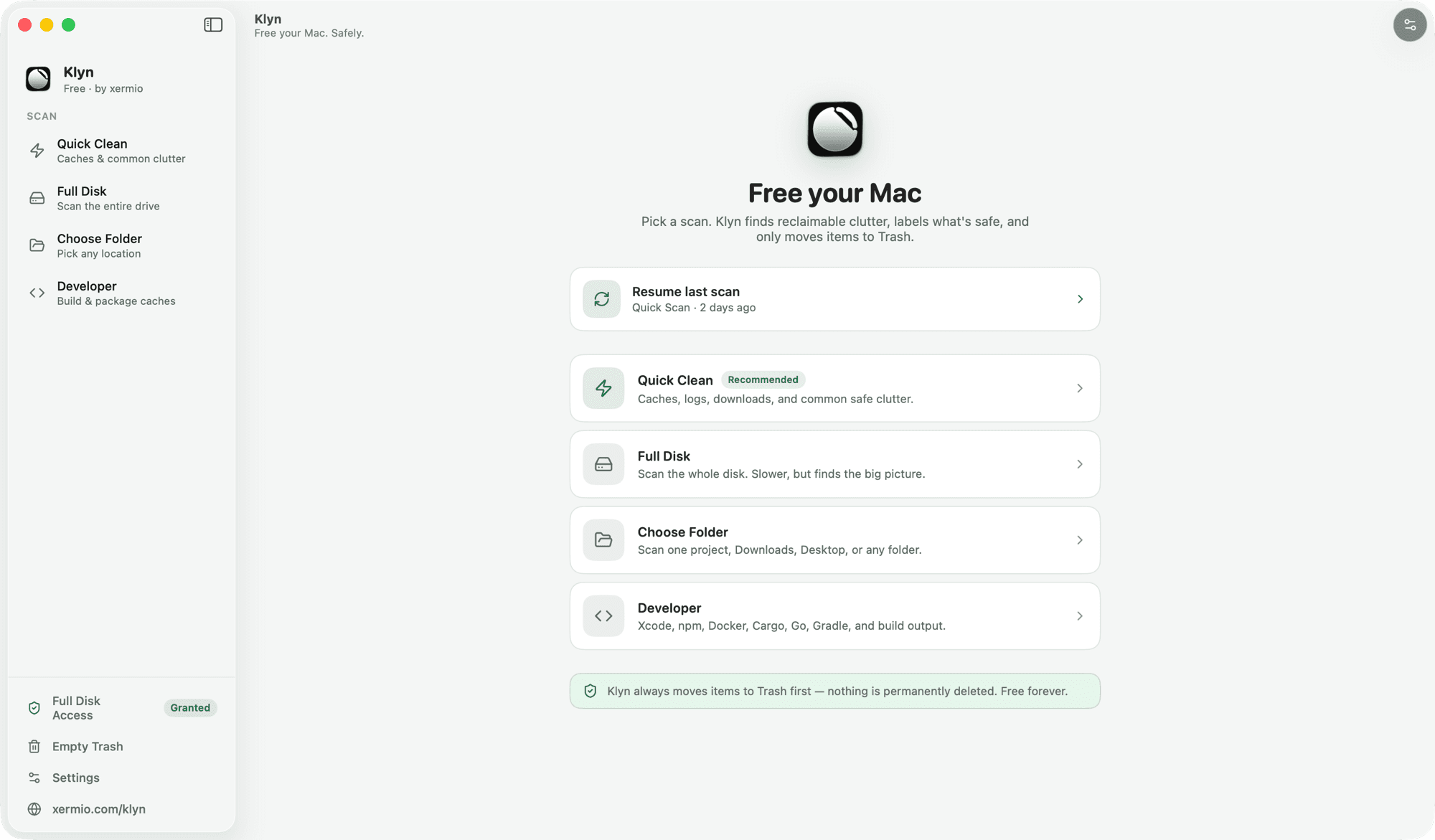
Four ways to scan.
Start narrow or go wide. Every scan ends the same way — a list you can read.
Quick Clean
Caches, logs, downloads, and the common safe clutter. The one to run first.
Full Disk
Scans the whole drive. Slower, but it finds the big picture.
Choose Folder
Point it at one project, Downloads, Desktop, or anywhere else.
Developer
Xcode, npm, Docker, Cargo, Go, Gradle, and build output.
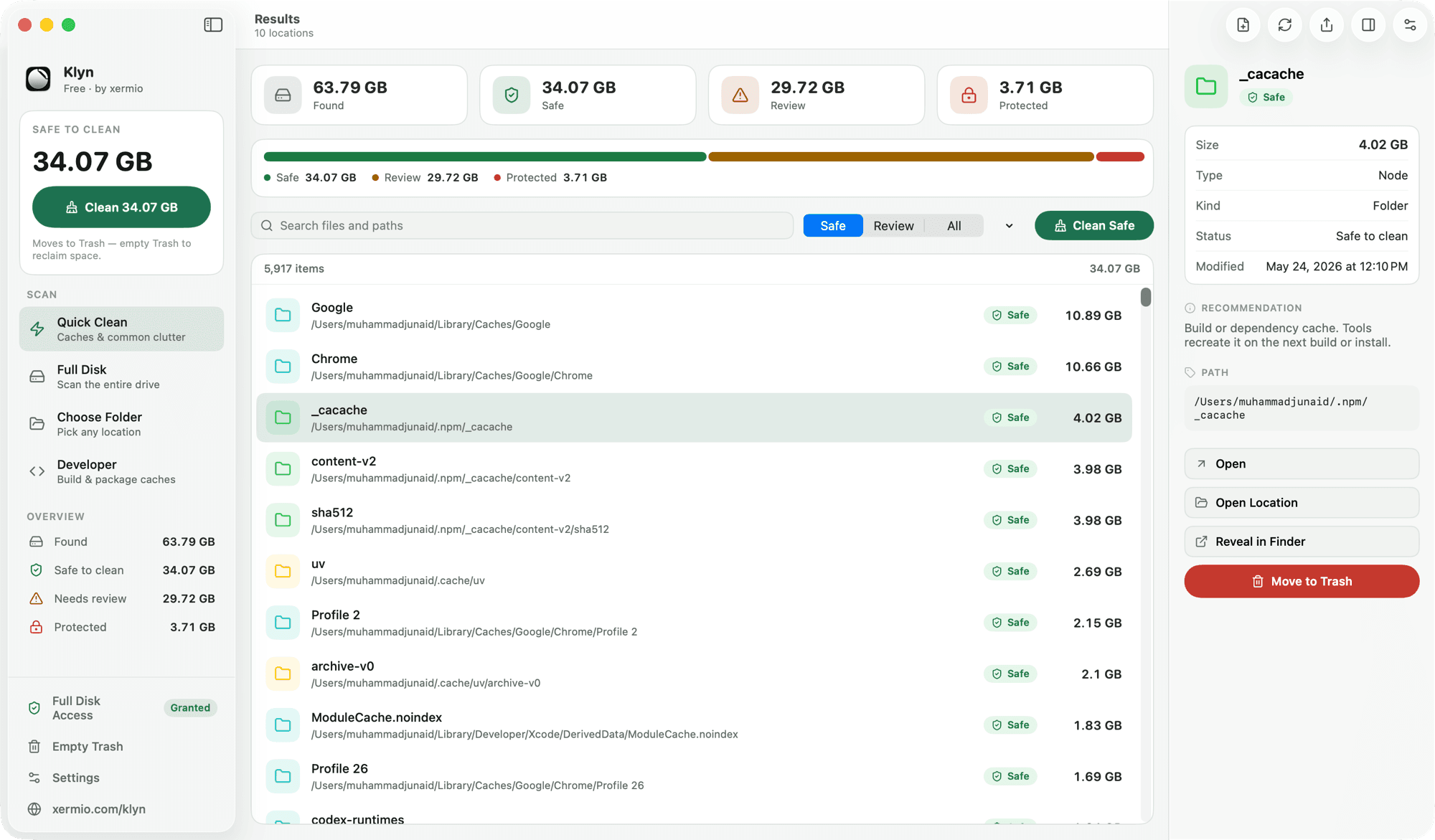
Safe. Review. Protected.
Every item gets one of three labels, and Klyn tells you why. No “optimizing…” spinner that never says what it did.
Safe
Rebuildable. A cache your tools will recreate on the next build or install. Klyn will clean these in one click.
Review
Big, but only you know if it matters. Old downloads, archives, media. Klyn shows them and waits.
Protected
Never cleaned automatically. App data for VS Code, Cursor, and browsers lives here, so nothing breaks.
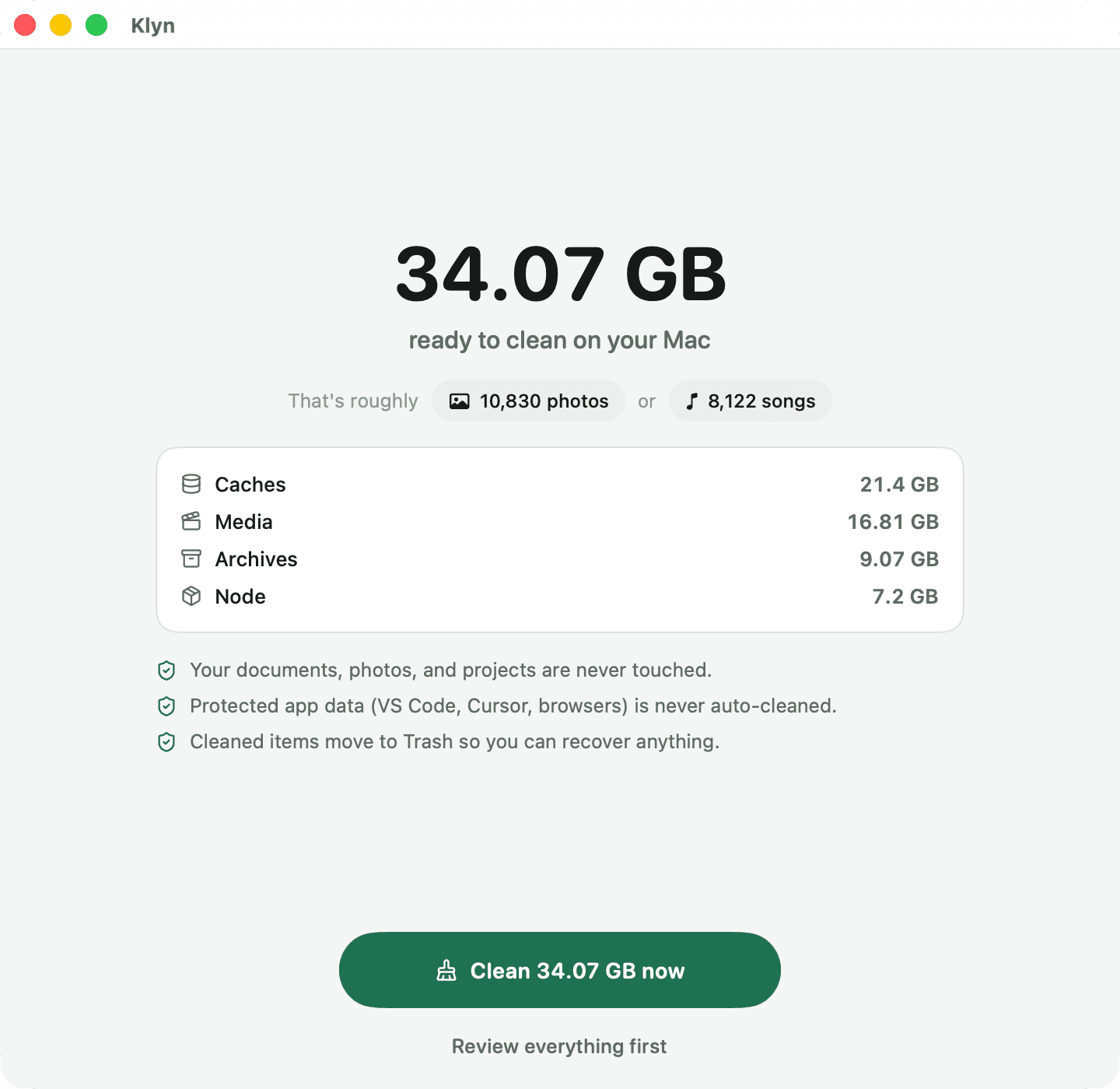
What Klyn will never do.
- Your documents, photos, and projects are never touched.
- Protected app data — VS Code, Cursor, browsers — is never auto-cleaned.
- Cleaned items move to the Trash, so you can recover anything.
Getting it running.
- Download the DMG and drag Klyn into Applications.
- Open it. Klyn asks for Full Disk Access — that's how it can see caches outside your home folder.
- Run Quick Clean. Read the list. Clean what you approve.
It's free. Go get your disk back.
No trial, no account, no upsell. The source is public if you want to read it before you run it.