 XermioApp Store
blyn
See what’s left this month.
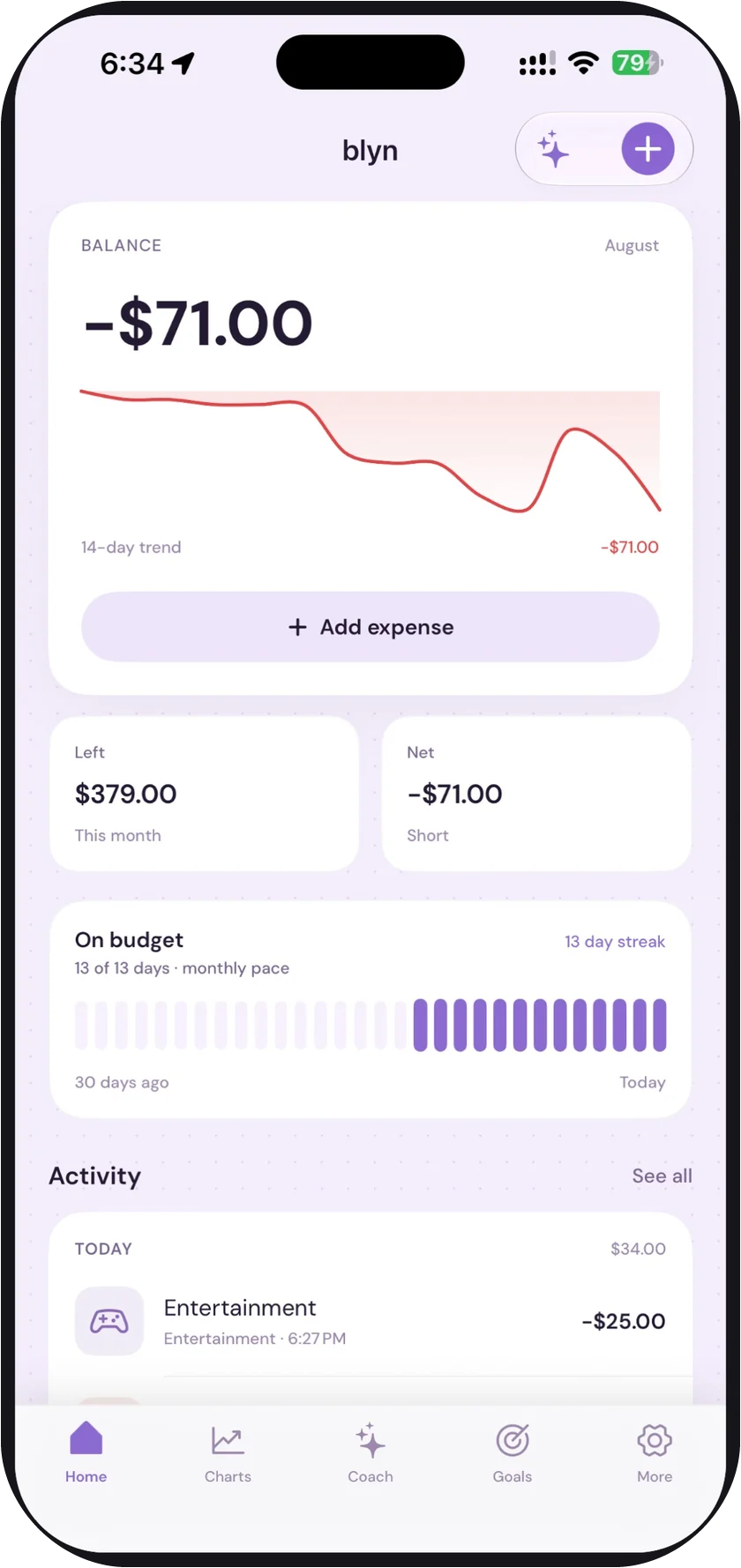
Most budget apps make you file receipts for a month before they tell you anything. blyn answers one question the second you open it: how much can I still spend? The ledger lives on your iPhone. The AI coach is optional, and it only ever sees what you type at it.
iOS 17 or later · Free · Pro from $2.99/mo
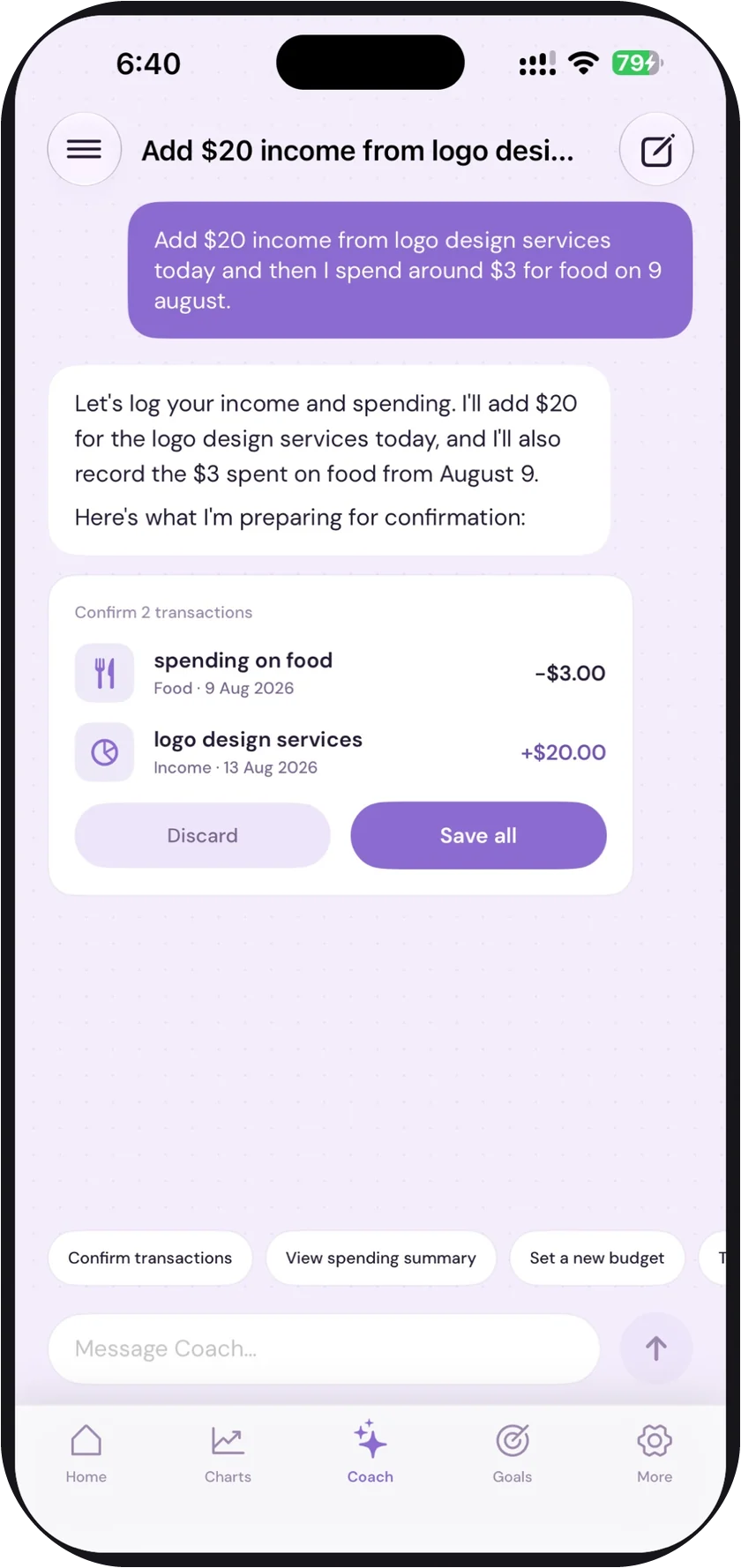
Type it the way you’d say it.
“Add $20 income from logo design today, and about $3 for food on 9 August.” Coach reads that, drafts both transactions with the right categories and dates, and then stops. Nothing is written to your ledger until you tap Save all.
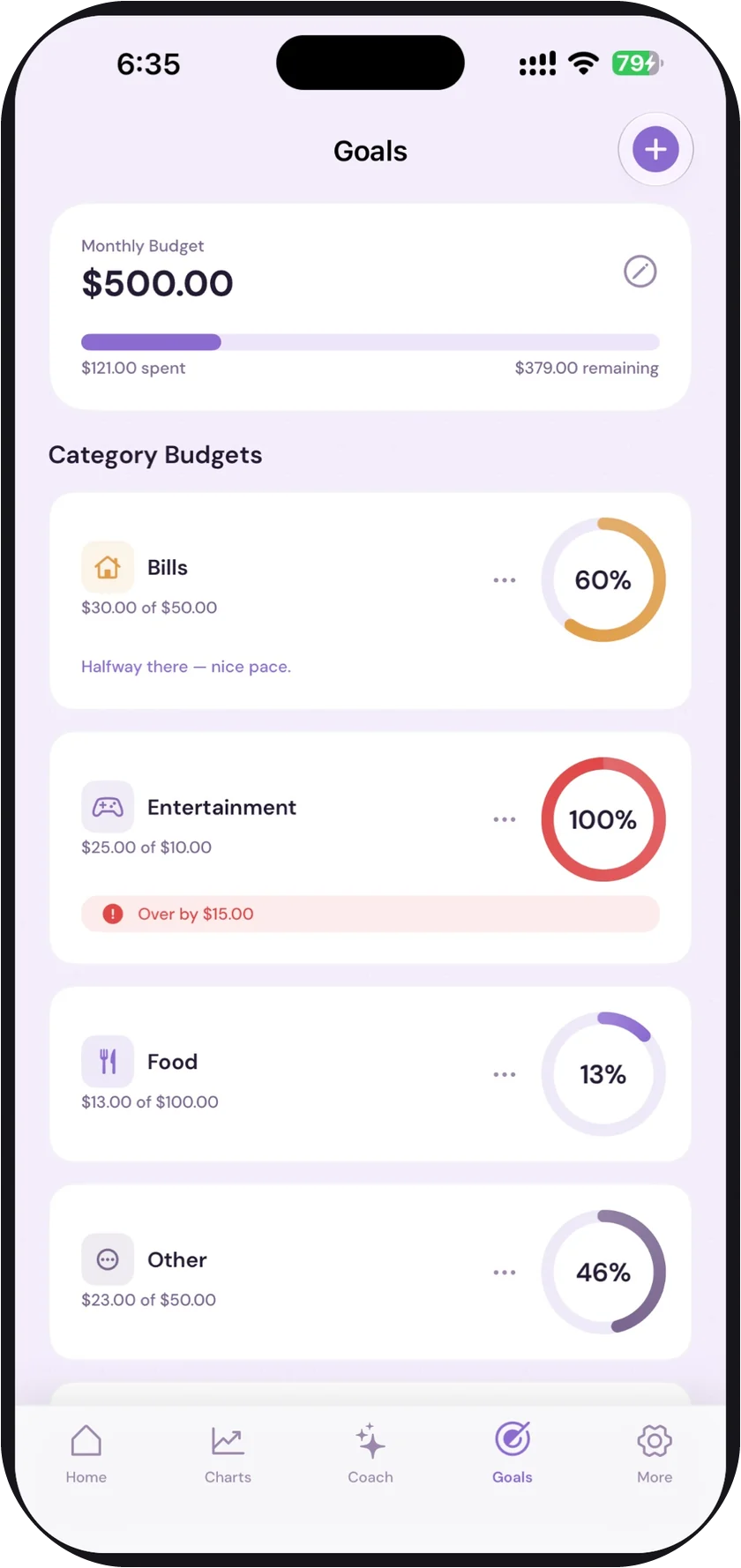
Budgets that answer back.
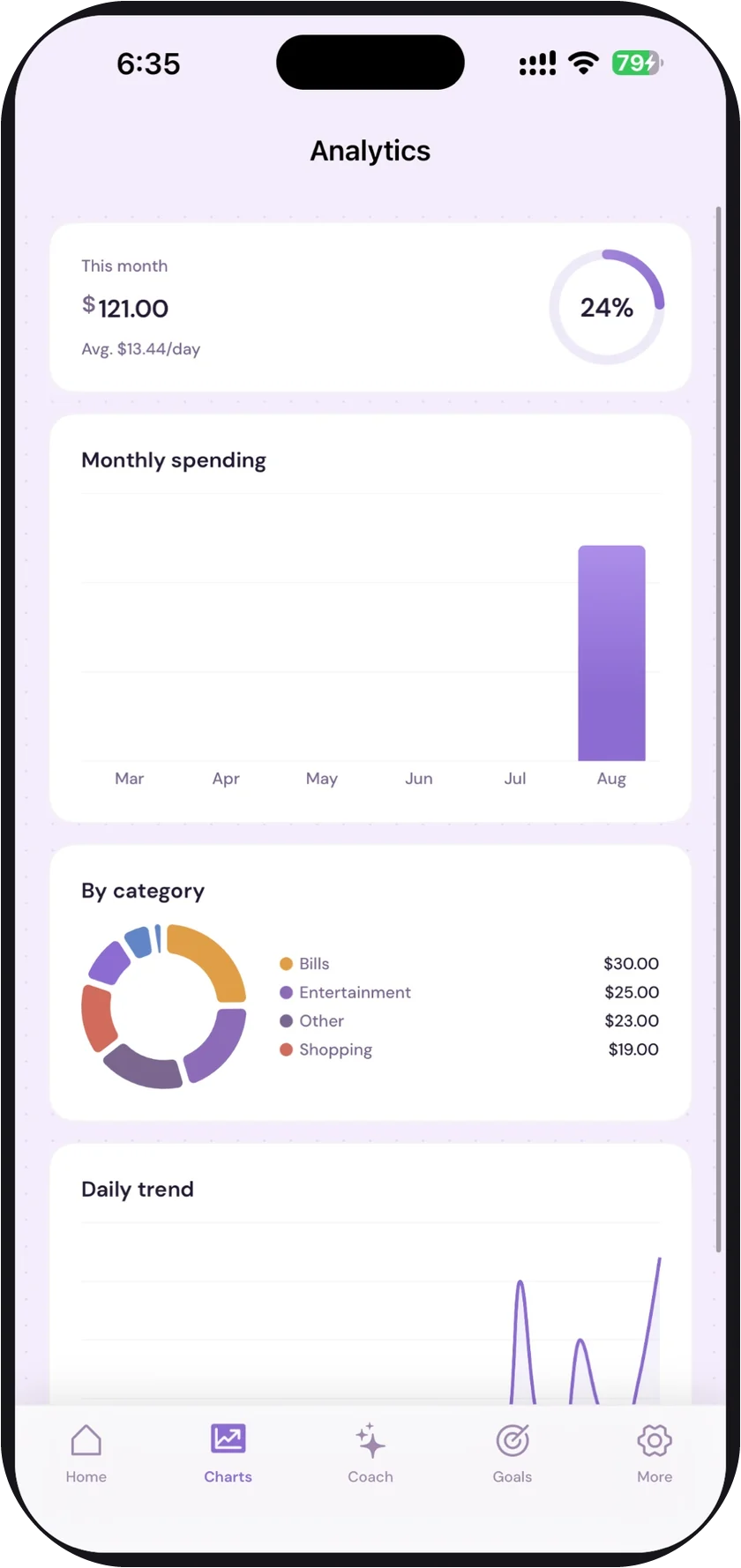
Set a monthly number and a limit per category. blyn keeps the pace in plain words — $25 against a $10 entertainment budget reads “over by $15.00,” not a red dot you have to decode. Charts show where the month actually went.
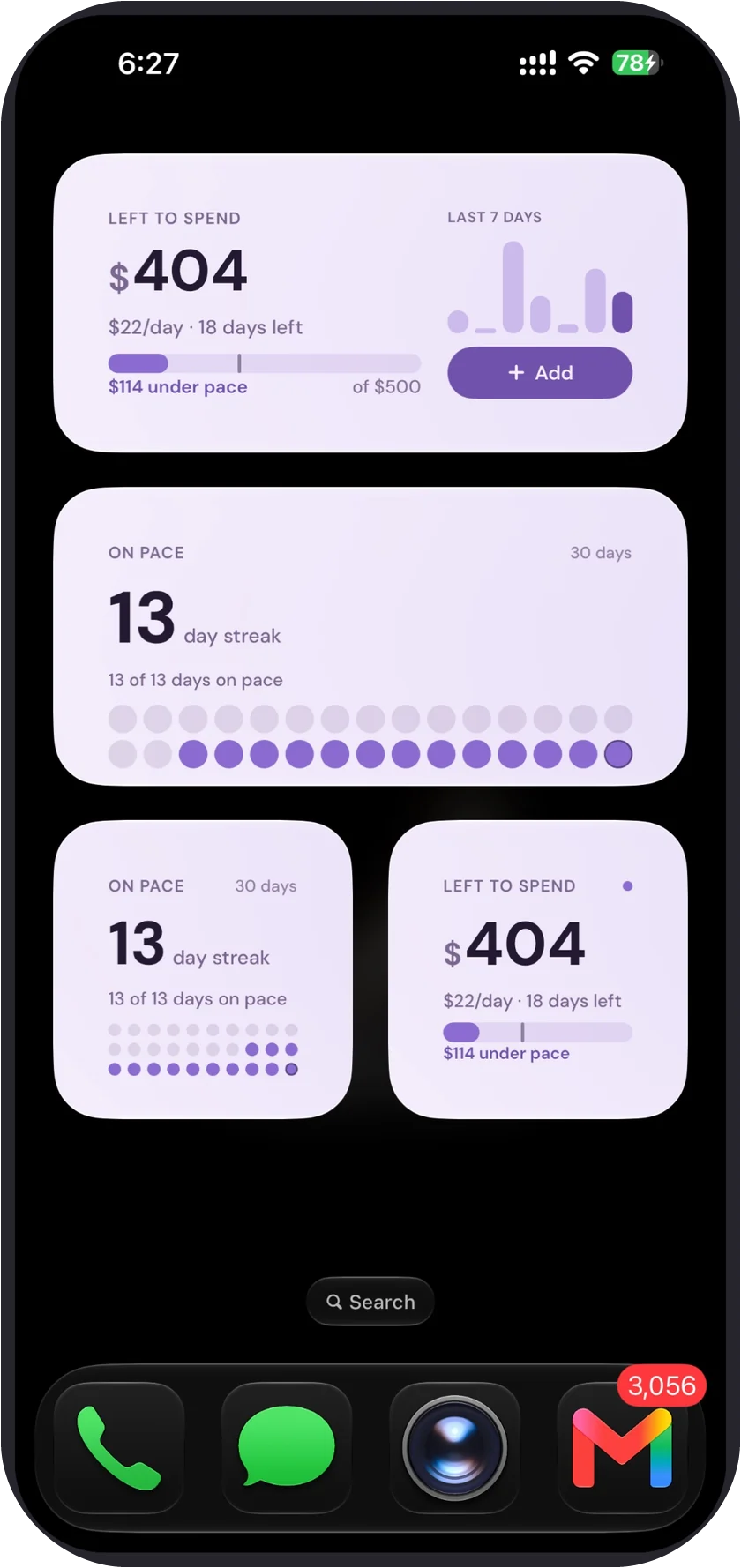
Your pace, on the home screen.
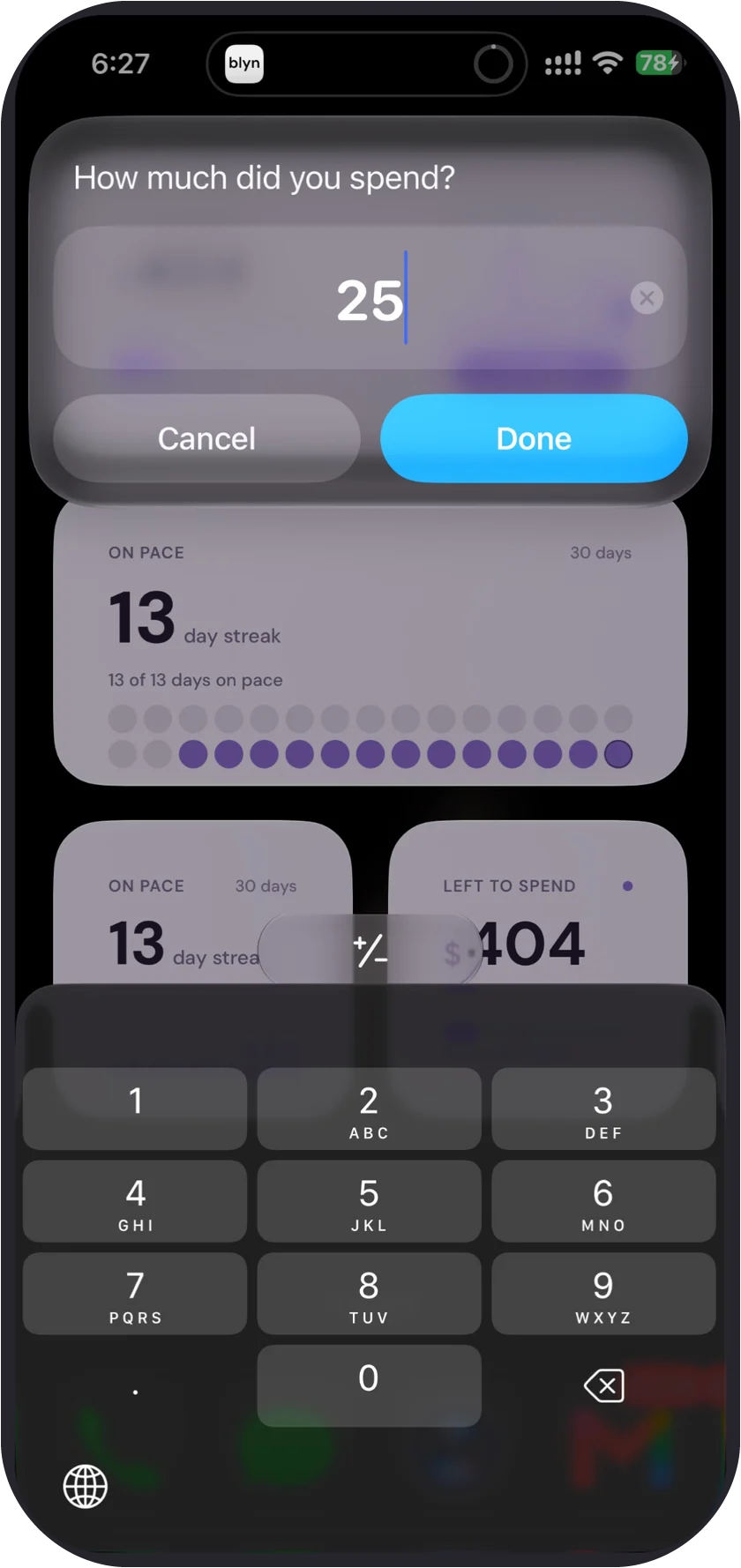
Widgets for what’s left to spend, what that is per day, and how many days you’ve stayed on pace. Tap one to log an expense without opening the app — type the amount, tap Done, you’re back where you were.
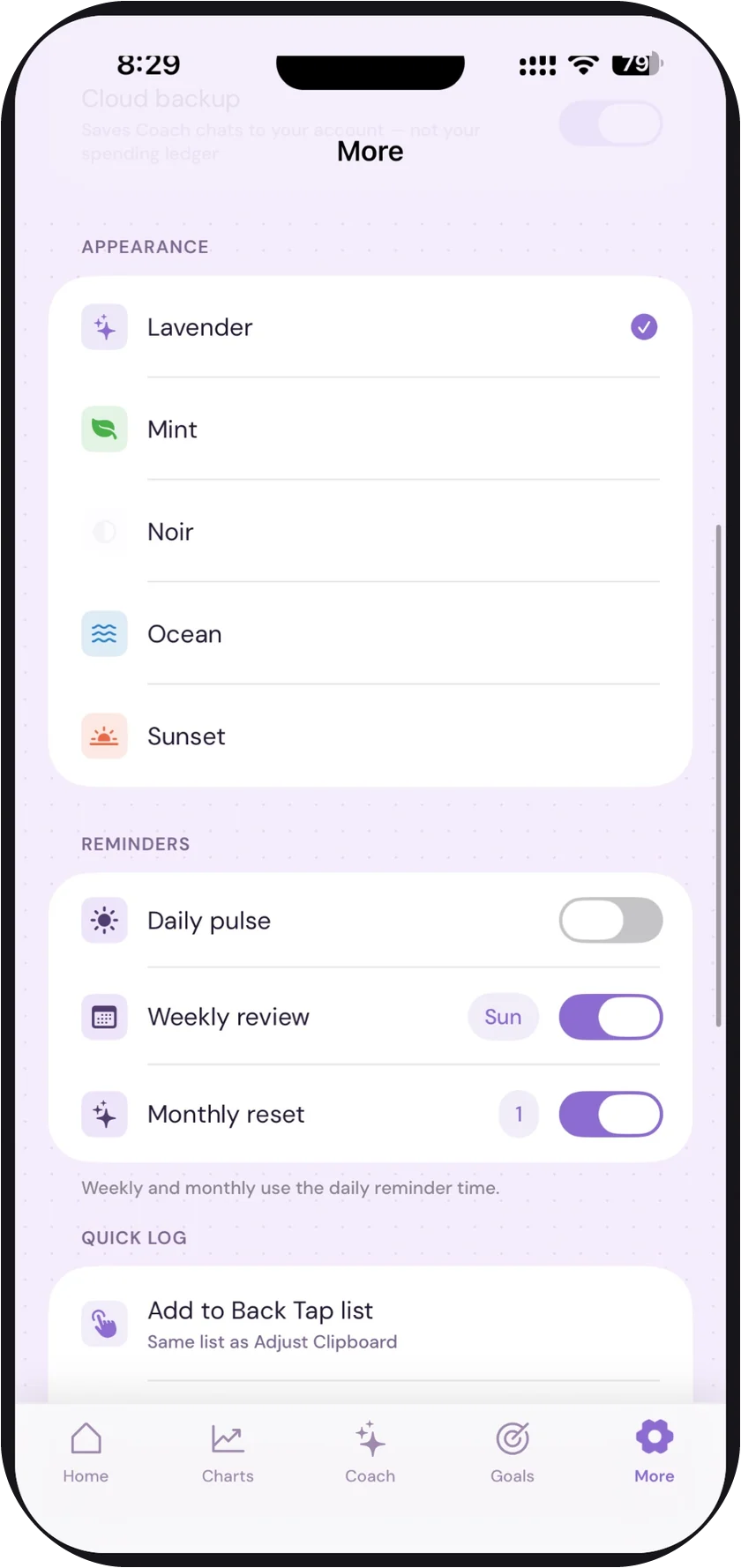
Make it yours.
Five themes. A daily pulse, a weekly review, and a monthly reset you can each turn off. Back Tap the back of your phone twice to log something without unlocking anything.
Where your money data lives.
- Expenses, budgets, and goals stay on this iPhone. No bank login, no account required.
- Coach chats are the only thing that can leave the device, and only with cloud backup switched on.
- No ads, no trackers, no data sold — there is nobody to sell it to.
Free, and Pro if you want the coach.
Free
Everything above: tracking, budgets, goals, charts, widgets, themes, and a short daily taste of Coach.
Pro — from $2.99/mo
Unlimited Coach, and chat backup across your devices. Cancel in Settings → Subscriptions, like anything else.
See what’s left this month.
Free to start, iOS 17 or later. The policies below are the ones App Review reads — plain language, no dark patterns.